
custom gaming desktops In the world of gaming, enthusiasts understand the allure of custom gaming desktops—powerful machines crafted to deliver peak performance and unrivaled gaming experiences. Whether you’re a seasoned gamer or diving into the realm of high-performance gaming rigs for the first time, selecting the right gaming rig can significantly enhance your gameplay, graphics quality, and overall immersion. Join us as we explore some of the top rigs in the market, designed to unleash your gaming potential like never before.
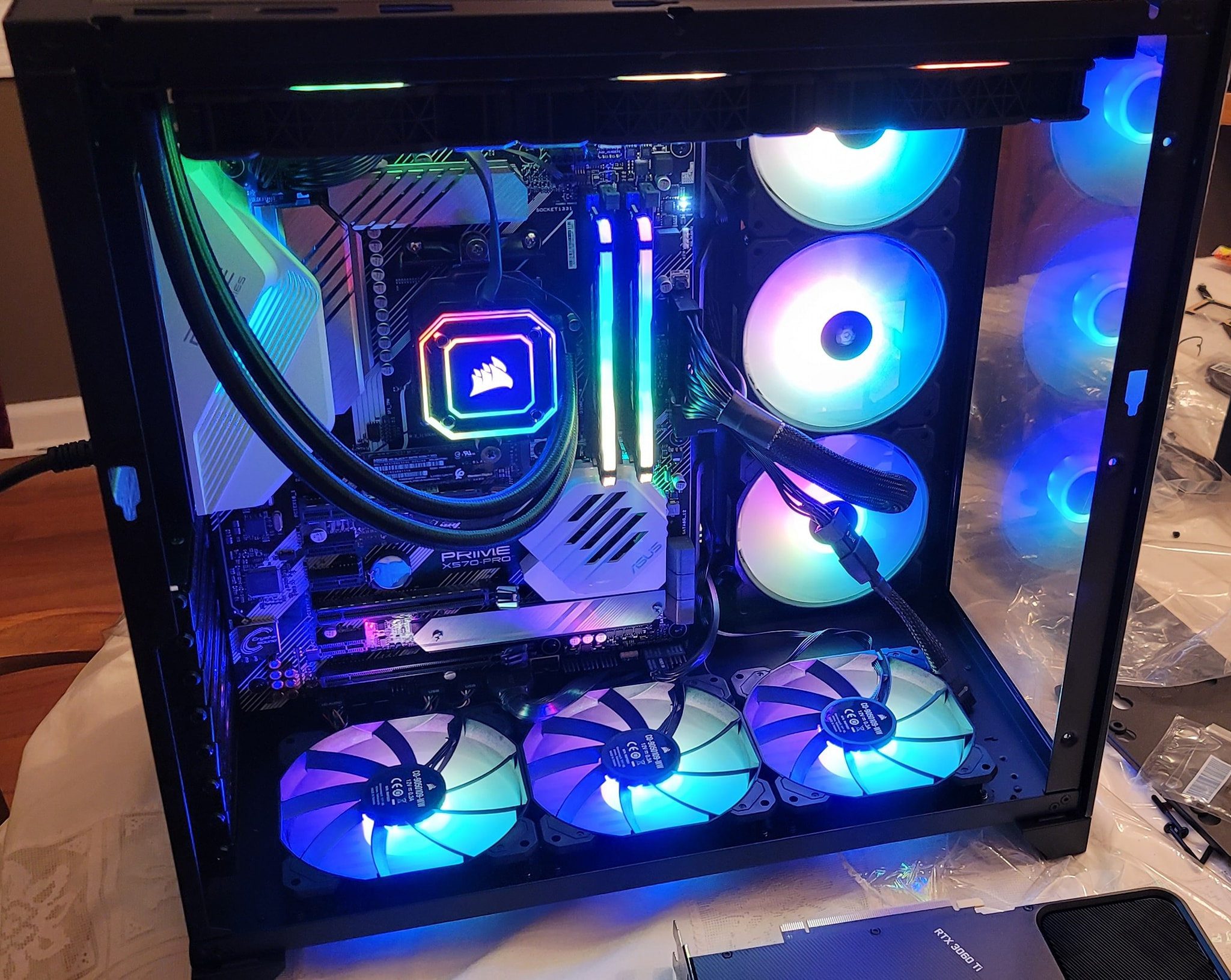
Understanding Custom Gaming Desktops
These rigs are meticulously built PCs tailored to meet the specific demands of gaming. They combine high-end components, advanced cooling systems, and customizable aesthetics to deliver optimal performance across the latest game titles.
Key Components
- Graphics Processing Unit (GPU): Responsible for rendering graphics and ensuring smooth gameplay. High-end GPUs like NVIDIA GeForce RTX or AMD Radeon RX series are popular choices for custom gaming desktops.
- Central Processing Unit (CPU): Handles overall system performance. Processors from Intel (e.g., Core i7, Core i9) or AMD (e.g., Ryzen 7, Ryzen 9) offer robust multitasking capabilities crucial for gaming.
- Random Access Memory (RAM): Provides temporary storage for data accessed by the CPU. Gaming desktops often feature 16GB or more of RAM to support multitasking and high-resolution gaming.
- Storage: Solid State Drives (SSDs) and Hard Disk Drives (HDDs) store game files and system data. SSDs are preferred for faster load times and responsiveness in gaming.
Top Picks Compared Side by Side
1. Alienware Aurora R12
The Alienware Aurora R12 combines futuristic design with powerful hardware. It features:
- Intel Core i9-11900KF CPU and NVIDIA GeForce RTX 3080 GPU for exceptional gaming performance.
- Customizable RGB lighting and Alienware Command Center for personalized settings.
- Advanced cooling options to maintain optimal temperatures during intense gaming sessions.
2. Corsair Vengeance i7200 Series
The Corsair Vengeance i7200 Series is renowned for its robust build and high-speed components:
- Equipped with Intel Core i9-12900K CPU and NVIDIA GeForce RTX 3090 GPU for cutting-edge gaming and streaming.
- Corsair Hydro X cooling system ensures efficient heat dissipation under heavy load.
- Sleek design with tempered glass side panels for showcasing internal components.
3. ASUS ROG Strix GA15
The ASUS ROG Strix GA15 stands out for its performance and aesthetic appeal:
- Features AMD Ryzen 9 5900X CPU and NVIDIA GeForce RTX 3070 GPU for smooth 1440p gaming and VR experiences.
- Customizable RGB lighting with Aura Sync technology for synchronized lighting effects.
- Ample connectivity options and upgradeability to future-proof your gaming setup.
4. NZXT BLD Custom Gaming PCs
NZXT BLD offers customizable custom gaming desktops tailored to individual preferences:
- Users can select components like CPUs from AMD Ryzen and Intel Core series and GPUs up to NVIDIA GeForce RTX 3080 Ti.
- Cable management and efficient airflow design optimize cooling performance.
- Clean, minimalist aesthetics with customizable case options to suit personal style.
5. CyberPowerPC Gamer Xtreme
The CyberPowerPC Gamer Xtreme series is a budget-friendly option without compromising on performance:
- Available configurations with Intel Core i5/i7 CPUs and NVIDIA GeForce GTX/RTX GPUs for solid 1080p and 1440p gaming.
- Compact chassis with RGB lighting accents and transparent side panels.
- Ideal for entry-level gamers looking to step up their gaming experience with a reliable desktop.
Benefits Worth Paying For
1. Performance Optimization
Custom gaming desktops are designed to maximize performance across gaming, streaming, and multitasking. High-performance CPUs and GPUs ensure smooth frame rates and graphics quality even in demanding AAA titles.
2. Flexibility and Upgradeability
Unlike pre-built systems, they allow users to select and upgrade components based on their needs and budget. This flexibility ensures the system can adapt to future gaming advancements without requiring a complete overhaul.
3. Personalization and Aesthetics
From RGB lighting and tempered glass panels to modular case designs, they offer extensive customization options. Gamers can create a setup that reflects their personality and gaming style, enhancing the overall gaming experience.
What to Check Before Paying
1. Budget Allocation
Determine your budget based on desired performance levels and future upgrade plans. Allocate funds towards key components like CPU, GPU, and RAM to achieve a balanced configuration.
2. Cooling Solutions
Efficient cooling is crucial for maintaining stable performance during gaming marathons. Consider aftermarket air or liquid cooling solutions to prevent overheating and extend the lifespan of internal components.
3. Connectivity and Ports
Evaluate the desktop’s connectivity options, including USB ports, audio jacks, and networking capabilities. Ensure compatibility with gaming peripherals like monitors, keyboards, and mice to streamline your gaming setup.
Future Trends in Custom Gaming Desktops
1. Integration of AI Technology
AI-powered enhancements in custom gaming desktops may optimize gameplay by predicting player actions and adjusting settings in real-time for optimal performance and visual fidelity.
2. Sustainability and Eco-Friendly Designs
Manufacturers may prioritize eco-friendly materials and energy-efficient components in future custom gaming desktops, reducing environmental impact while maintaining high-performance standards.
Final Checklist Before You Buy
Choosing the right gaming rig is more than selecting powerful hardware—it’s about crafting a setup that aligns with your gaming ambitions and personal style. Whether you opt for the latest innovations or customize a build from the ground up, each component plays a crucial role in unlocking your gaming potential. Embrace the journey of exploration, customization, and immersion in gaming with a custom gaming desktop that empowers you to dominate virtual worlds and redefine gaming excellence.
Shortlist two builders, compare configured prices out the door, and read our gaming PC buying guide plus Dell XPS desktop review for prebuilt alternatives. Benchmarks at Tom’s Hardware confirm real gains. A well-chosen custom gaming desktop pays back every match.Frequently Asked Questions (FAQs)
How much does a good custom rig cost?
Entry builds start near budget prebuilts, while high-end rigs climb past flagship pricing. Pick the graphics card first, then size the rest around it to avoid waste.
Is building or buying better for beginners?
Buying prebuilt wins for warranty and zero assembly risk. Building saves money and teaches upkeep. Either path works when the parts list stays balanced.
How often should you upgrade components?
Graphics cards every three to four years, storage whenever full, and the rest as needed. Clean cooling twice yearly to protect the performance you paid for.

Nisa Kure is a senior tech reviewer at Fabrikant Tech testing phones, SSDs, wearables, and smart-home gear. 5+ years, 200+ hands-on reviews. Method: 2-week daily use, benchmarks, and thermal logs. Author of 840 tech guides since 2022.


More Stories
Perfect Gaming Desktop: From Casual to Pro Picks
Performance Meets Style: Sleek Designs for High-End Gaming Desktops
Build, Customize, Conquer: Crafting Your Perfect Gaming Desktop Setup