
The nvme wd black series has established itself as a premier storage solution for users who demand high-speed data transfers and consistent reliability. Since its inception, Western Digital has positioned this specific sub-brand to cater to gamers, creative professionals, and hardware enthusiasts. Unlike the Blue or Green series, which focus on value and energy efficiency, the Black lineup is engineered for maximum throughput and low latency. These drives utilize the M.2 form factor and the NVMe protocol to bypass the bottlenecks associated with older SATA interfaces, allowing for read and write speeds that can reach several gigabytes per second.
The Evolution of Western Digital Performance Drives
Western Digital has a long history of producing high-performance mechanical drives, but the transition to solid-state technology redefined their performance tier. The shift from the original SATA-based Black drives to the modern PCIe-based modules marked a significant turning point in consumer storage. Early iterations focused on establishing a foothold in the PCIe Gen3 market, offering competitive speeds that challenged industry leaders. As motherboards evolved to support newer standards, the brand quickly adapted, launching products that fully saturated the bandwidth of the latest interfaces.
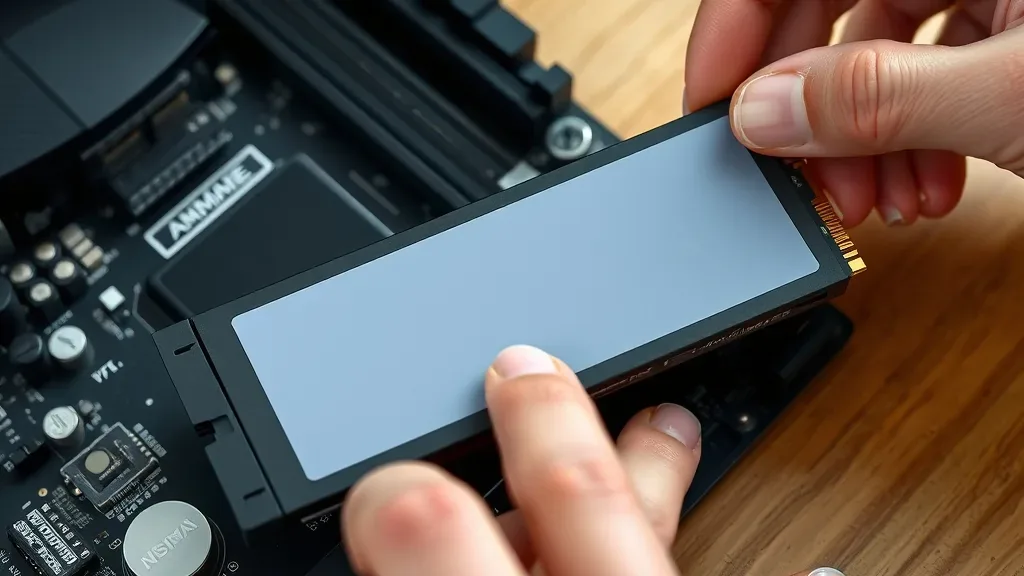
Today, the focus has shifted toward refining the controller technology and NAND flash density. By developing in-house controllers and utilizing advanced 3D NAND, Western Digital ensures that their performance drives maintain a competitive edge in both burst speeds and sustained workloads. This vertical integration allows for better optimization between the hardware and firmware, resulting in a more stable user experience during intensive tasks like 4K video editing or large-scale game installations. Our team at Fabrikant Tech has monitored these developments closely, noting how each generation pushes the boundaries of thermal efficiency and data integrity.
Understanding the NVMe WD Black Product Lineup
When selecting an nvme wd black drive, it is essential to distinguish between the various models available in the current market. The flagship model is currently the SN850X, which utilizes the PCIe Gen4 x4 interface to deliver read speeds up to 7,300 MB/s. This drive is designed for those who require the absolute fastest loading times and highest IOPS (Input/Output Operations Per Second). It features a dedicated DRAM cache, which is crucial for maintaining high performance during long file transfers and preventing the slowdowns often seen in cacheless drives.
For users who want high performance without the flagship price tag, the SN770 offers a compelling middle ground. While it lacks a dedicated DRAM cache, it uses Host Memory Buffer (HMB) technology to leverage a small portion of the system’s RAM for mapping tables. This allows it to achieve impressive speeds that exceed many older Gen4 drives while remaining more affordable. Additionally, there are specialized versions like the SN850P, which is officially licensed for use in the PlayStation 5, ensuring full compatibility with Sony’s strict hardware requirements. Understanding these distinctions helps buyers choose a drive that matches their specific motherboard capabilities and budget constraints.
Technical Specifications and Thermal Efficiency
Performance is only one half of the equation; thermal management is equally vital for maintaining peak speeds. High-speed storage modules generate significant heat during operation, which can lead to thermal throttling if not properly addressed. Western Digital offers many of its performance drives with an optional integrated heatsink. This aluminum spreader is designed to dissipate heat more effectively than a bare drive, which is particularly important in compact PC builds or consoles where airflow might be limited. The heatsink versions often include RGB lighting, adding an aesthetic element to the functional cooling.
Beyond physical cooling, the firmware plays a major role in managing the drive’s health. Modern controllers include sophisticated thermal algorithms that monitor temperatures in real-time. If the drive approaches its thermal limit, the controller will slightly reduce speeds to prevent damage, though the goal of the Black series is to delay this as long as possible. For users with motherboards that already include built-in M.2 shields, the non-heatsink versions are usually preferable, as they allow for a cleaner look while utilizing the motherboard’s existing cooling solution. You can find more details on how these thermals hold up in our WD Black SN850X review, where we analyze temperature logs under heavy stress.
Selecting the Right Capacity for Your Workload
Choosing the correct capacity is a balance between current needs and future-proofing. The performance lineup typically starts at 500GB, which is sufficient for a boot drive and a few core applications. However, as modern game installs frequently exceed 100GB, the 1TB and 2TB models have become the standard for most users. Higher capacities do not just offer more space; they often provide slightly better performance and higher endurance ratings. This is because the controller can distribute write operations across more NAND cells, reducing wear on any single part of the drive.
For professional content creators, the 4TB variants are often the best choice. These drives provide ample space for raw video footage and large project files while maintaining the high IOPS required for scrubbing through timelines without lag. When comparing the cost per gigabyte, the 2TB models often represent the “sweet spot” for value in the current market. It is also worth noting that larger drives generally have a higher Total Bytes Written (TBW) rating, which is a measure of how much data can be written to the drive over its lifetime before the warranty expires. Always check the official Western Digital product documentation for the specific endurance ratings of each capacity tier.
Why NVMe WD Black SSDs Excel in Gaming and Content Creation
The primary reason users opt for an nvme wd black drive is the tangible improvement in system responsiveness. In gaming, these drives are optimized to take advantage of technologies like Microsoft DirectStorage. This allows the GPU to decompress game assets directly from the storage drive, bypassing the CPU and significantly reducing load times in supported titles. This technology is becoming increasingly important as open-world games move toward seamless environments with no loading screens. The high random read speeds of the Black series ensure that small assets are fetched almost instantaneously, reducing stuttering during gameplay.
For content creators, the benefit lies in sustained write performance. When exporting a large video file or rendering a 3D scene, the drive must be able to handle a continuous stream of data without dropping in speed. The nvme wd black series, particularly the models with DRAM, excels here by providing a consistent buffer that prevents the “performance cliff” common in entry-level drives. This reliability ensures that professional workflows remain uninterrupted. Whether you are a streamer needing fast access to recordings or a photographer handling thousands of high-resolution RAW files, the low latency of these drives provides a snappier feel to the entire operating system.
Optimizing Your Drive with Western Digital Software
To get the most out of a high-performance drive, Western Digital provides a dedicated software suite known as the Dashboard. This utility allows users to monitor the health of their drive, check remaining life, and view real-time performance charts. One of the most significant features of the Dashboard is “Game Mode 2.0.” When enabled, this mode disables low-power states on the drive, ensuring that it is always ready to respond to data requests with zero wake-up latency. This can provide a slight edge in competitive gaming scenarios where every millisecond counts.
The software also facilitates firmware updates, which are critical for maintaining compatibility with new hardware and fixing potential bugs. Updating firmware can sometimes unlock performance improvements or resolve stability issues with specific motherboard chipsets. Additionally, the Dashboard includes tools for secure erasing the drive, which is useful if you plan to sell the hardware or perform a fresh OS installation. By combining high-end hardware with robust software support, the Black series offers a comprehensive package that justifies its position as a premium storage solution. Regular maintenance through the software ensures the drive operates at peak efficiency throughout its lifespan.
| Model | Interface | Max Read Speed | Best For |
|---|---|---|---|
| SN850X | PCIe Gen4 x4 | 7,300 MB/s | Hardcore Gaming / Video Editing |
| SN770 | PCIe Gen4 x4 | 5,150 MB/s | Budget Gaming / Productivity |
| SN850P | PCIe Gen4 x4 | 7,300 MB/s | PS5 Licensed Expansion |
| SN750 | PCIe Gen3 x4 | 3,470 MB/s | Legacy System Upgrades |
Who is it for?
The WD Black series is designed for users who prioritize speed and reliability over the lowest possible price. If you are building a modern gaming PC or a professional workstation, the SN850X is the definitive choice. For those on a tighter budget who still want the benefits of Gen4 speeds, the SN770 is an excellent alternative. Users with older systems that only support PCIe Gen3 should look toward the SN750 to maximize their existing hardware without overpaying for bandwidth they cannot use.
Verdict
The WD Black lineup remains a top-tier recommendation in the storage market. While the Blue series is great for general office work, the Black series provides the necessary overhead for demanding applications. Its combination of high-speed controllers, reliable NAND, and excellent software support makes it a safe and high-performing investment for any enthusiast build.
Is the SN850X the best choice for a PlayStation 5?
The SN850X with a heatsink is the premier choice for the PlayStation 5. It meets all Sony requirements for sequential read speeds and physical dimensions. This drive ensures that modern titles load quickly and run smoothly directly from the expanded storage slot without overheating during long sessions.
What is the main difference between the SN770 and the SN850X?
The primary difference lies in the interface and maximum throughput. The flagship model utilizes a DRAM cache for superior sustained writes, while the mid-range option uses Host Memory Buffer technology. For general gaming, the more affordable version is sufficient, but professionals should opt for the higher-end model for intensive tasks.
Do I need to buy the version with the heatsink?
High-speed storage modules generate significant heat during heavy data transfers. If your motherboard does not include a built-in thermal spreader, purchasing a version with a factory-installed cooling solution is highly recommended. This prevents thermal throttling, which can significantly reduce data transfer rates and impact system responsiveness under heavy loads.

Nisa Kure is a senior tech reviewer at Fabrikant Tech testing phones, SSDs, wearables, and smart-home gear. 5+ years, 200+ hands-on reviews. Method: 2-week daily use, benchmarks, and thermal logs. Author of 840 tech guides since 2022.



More Stories
Open Banking vs Fintech Apps Explained
Identity Theft Protection for Finance App Users
ACH Transfer vs Wire Transfers Explained